Posts

50 Best WhatsApp Status

Image
I love those random memories that make me smile no matter what is going on in my life right now. The best feeling in the world is to know that you actually mean something to someone. Enjoy life. It comes with expiry date. Live as if you were to die tomorrow. Learn as if you were to live forever. I am not saying i am the best. I only know that i am doing my best to be the best. Sucess comes from experience and experience comes from bad experience. When you think there is nothing left in your life, just keep working hard until you die. Never stop learning, coz life never stop teaching us.
Different Technologies & Their Founders.......

1. Google : Larry Page & Sergey Brin 2. Facebook : Mark Zuckerberg 3. Yahoo : David Filo & Jerry Yang 4. Twitter : Jack Dorsey & Dick Costolo 5. Internet : Tim Berners Lee 6. Linkdin : Reid Hoffman, Allen Blue & Koonstantin Guericke 7. Email : Shiva Ayyadurai 8. Gtalk : Richard Wah kan 9. Whats up : Laurel Kirtz 10. Hotmail : Sabeer Bhatia 11. Orkut : Buyukkokten 12. Wikipedia : Jimmy Wales 13. Youtube :

Shortcut Keys

1) Alt + F    File menu options in current program. 2) Alt + E   Edit options in current program  3) F1    Universal Help in almost ever Windows program. 4) Ctrl + A   Select all text. 5) Ctrl + X    Cut selected item. 6) Shift + Del    Cut selected item. 7) Ctrl + C    Copy selected item. 8) Ctrl + Ins    Copy selected item 9) Ctrl + V   Paste 10) Shift + Ins      Paste 11) Home    Goes to beginning of current line. 12) Ctrl + Home    Goes to beginning of document. 13) End    Goes to end of current line. 14) Ctrl + End     Goes to end of document. 15) Shift + Home     Highlights from current position to beginning of line. 16) Shift + End     Highlights from current position to end of line. 17) Ctrl + Left arrow      Moves on...

Full Forms

Some common full forms are: * CD - Compact Disk. * DVD - Digital Video Disk. * AM - Ante Meredian. * PM - Post Meredian. * AD - AnnoDomini. * BC - Before Christ . * FM - Frequency Modulation. * GPRS - General Packet Radio Service. * USB - Universal Serial Bus. * www - World Wide Web. * Http - Hypertext Transfer Protocol. * HTML - Hypertext Mark Language. * LAN - Local Area Network. * SIM - Subsciber Identity Module . * GSM - Global System for Mobile. * WLAN - Wireless Local Network. * SQL - Structured Query Language. * XSS/CSS - Cross Site Scripting * LFI - Link Fragmentation and Interleaving

Top 10 Reasons to Use Skype

Image
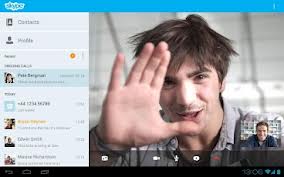
Skype is the largest and popular voice communication service mostly used in the world. Skype allow users to make free voice calls and also free video calls. Skype was introduced to the world in 2003 and it has remained the biggest application that is used to make video calls. Some of the reasons to use Skype are highlighted below : 1. Messaging Services / videos : you could make instant text messages or video calls/chat to any network all over the world using Skype. Skype offers free video services and instant text messages just like a local phone services. 2. Face to Face Communication : Skype allows facial communication i.e, you see the friends or families you are talking to face-to-face and not like the usual way when you send emails or ordinary voice call 3. Chat : Skype is also used to chat either as individual or as a group. you could chat or communicate with any body in the world or at long distance just like Facebook. 4. Secure Communication : Sky...

Top 15 Android Apps

Image
A ndroid is the world’s most popular mobile platform, which currently powers  millions of smart phones and tablet computers in the world. Google Play is the digital application distribution platform for Android, which is developed and maintained by Google. There are more than 600,000 apps and games are available on Google Play. Google play was formerly knows as Android Market. In this post, I want to introduce to you some great, free Android Apps on Google Play, apart from Skype, Facebook, Angry Birds, Opera Mini web browser or Talking Tom which are already very popular and you might have used. 1. WhatsApp Messenger: An alternative to SMS, WhatsApp Messenger is a smartphone messenger which uses your 3G or WiFi to send and receive messages, pictures, audio notes, and video messages. For the first year it is free, then it costs you $0.99 per year. 2. MX Player: MX Player is a popular media player to watch movies on Android devices. If you want to pl...

How to Install Windows 7 or 8 from USB Flash Drive

Image
T he biggest advantage of installing Windows using USB flash drive is speed : It installs Windows just about 15 minutes approximately. Moreover, traditional optical disks (DVDs) get damaged upon use and time, so there is no surety whether it will successfully install Windows on your PC or not. USB flash drive gives you great ease and guarantee! To install Windows 7 or 8 from USB flash drive, you will require: 1) A USB flash drive with 4 GB or more storage capacity. 2) Windows 7 or Windows 8 installation files. Follow these simple steps to install Windows from a USB drive: 1. Insert the USB flash drive to your computer. Copy any important data from flash drive to your PC. 2. Open Command Prompt with administrator rights- for which either you may type cmd in Start menu search box and hit Ctrl+ Shift+ Enter or Go to Start menu > All programs > Accessories, right click on Command Prompt and select Run as administrator. 3. Type ‘DISKPART ‘ and hit...